Connected apps
The Meta business agent in WhatsApp can now answer customer questions with live business data — instead of canned, generic replies.
No business runs on one app.
Over the years, a business builds an ecosystem: bookings, payments, store, support. An AI agent has to fit into it — not the other way around.
The agent couldn’t see the calendar, the store, or the inbox.
The Meta business agent answers customer chats — but out of the box it’s cut off from the tools that hold the answers. Anything it can’t look up, it guesses.
Any openings this week?
Please check our website for availability.
Calendar not connectedThursday’s open at 2:00 or 4:30. Want me to hold one?
Calendar connectedIt came down to trust and effort.
Every week, we ran research sessions with business owners. The same two worries came up — never about connecting the apps (the easy part), but about trusting the agent to act, and keeping setup light enough to finish.
“I’m worried the agent will ruin my business — answer a conversation wrong, or talk to my customers the wrong way.”
“I’m busy. I don’t want a tedious, technically loaded setup.”
Make trust visible and effort disappear.
Trust
- See it before connecting.
- Try it on real data.
- Fence it with rules.
Effort
- Suggest, don’t list.
- Connect in the app.
- Simplify forty permissions to five.
See it before connecting.
See how it would reply, in the business’s own voice — before any access.
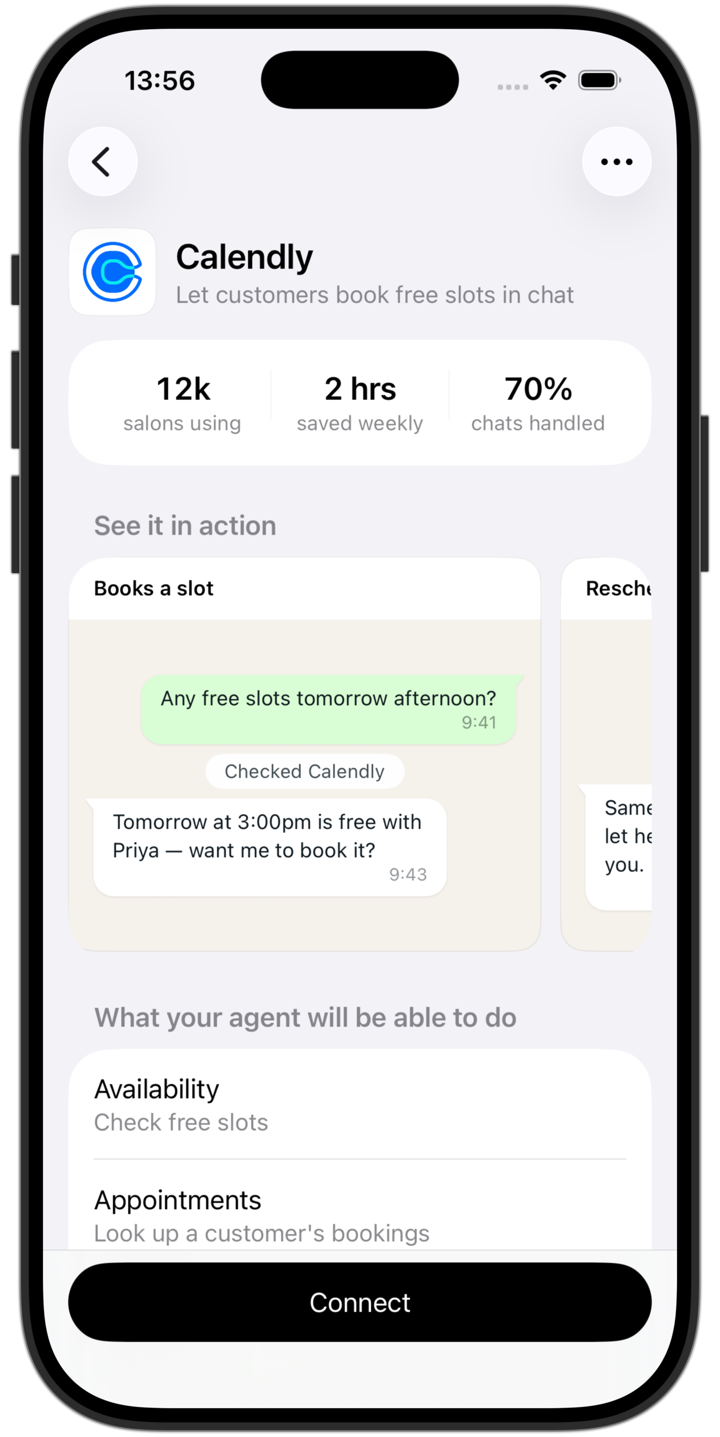
Try it on real data.
Watch it answer on your real data, and automate only what you trust.
Fence it with rules.
Three questions set the guardrails owners want, like no 24-hour reschedules.
Suggest, don’t list.
The home suggests a few relevant apps instead of a directory to search.
Connect in the app.
Sign-in uses WhatsApp’s own one-time code — no browser, no password.
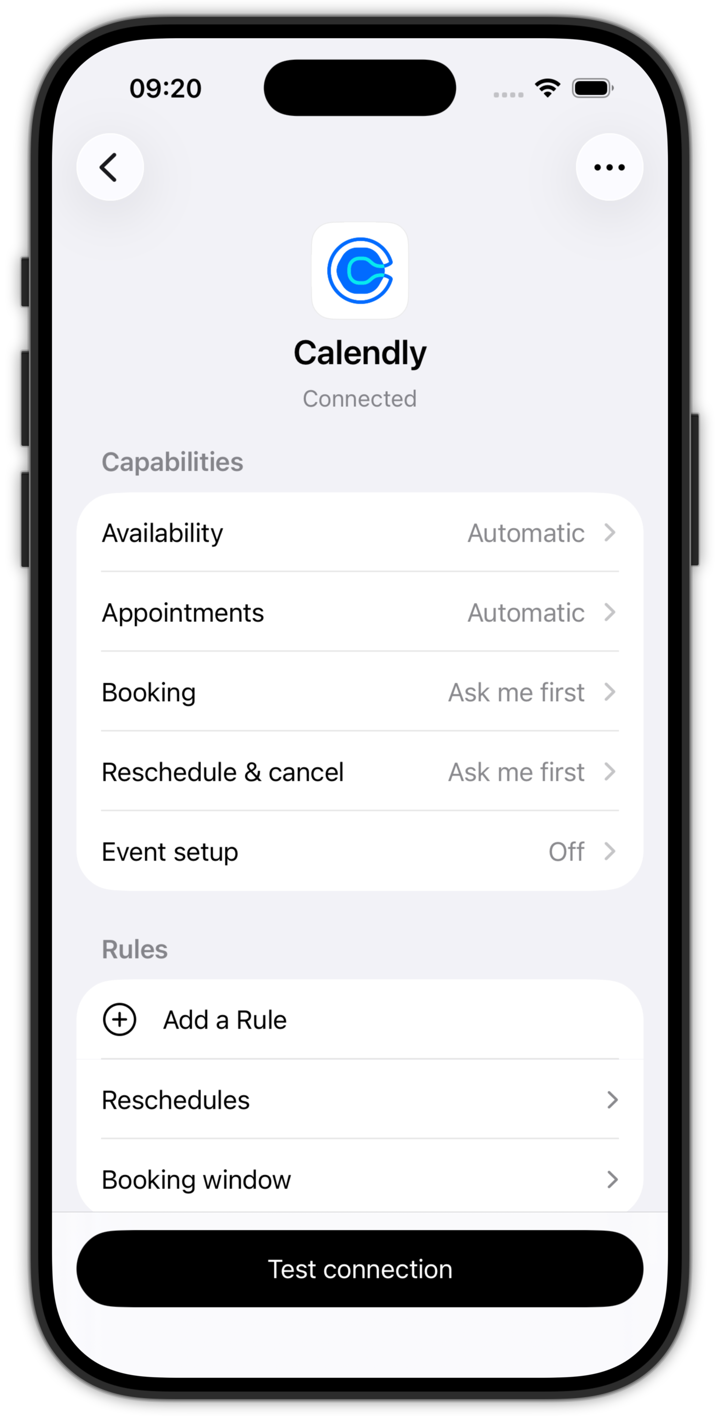
Simplify forty permissions to five.
Calendly’s forty API scopes become five plain-language capabilities — reads on, writes ask-first.
One connection, end to end.
Calendly: first tap to a real booking.
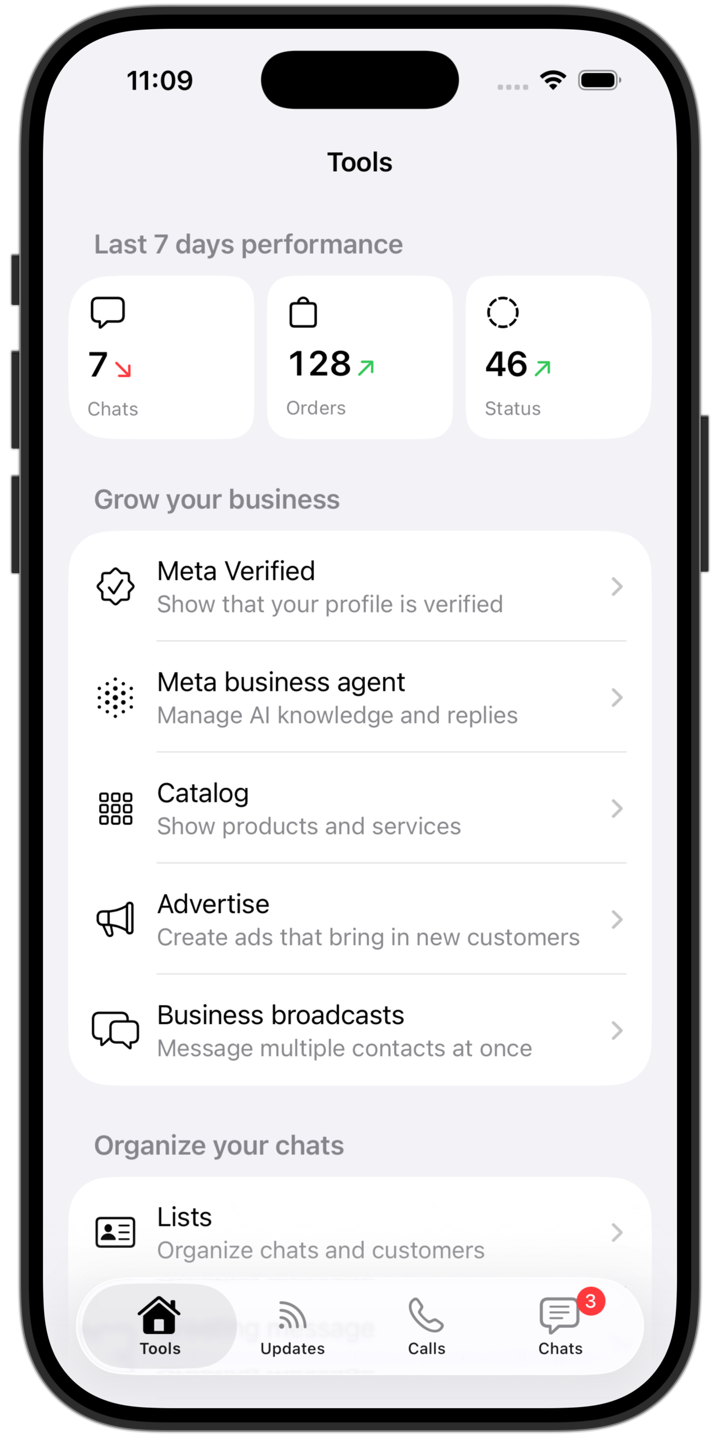 Step 1The agent lives in the business’s tools.
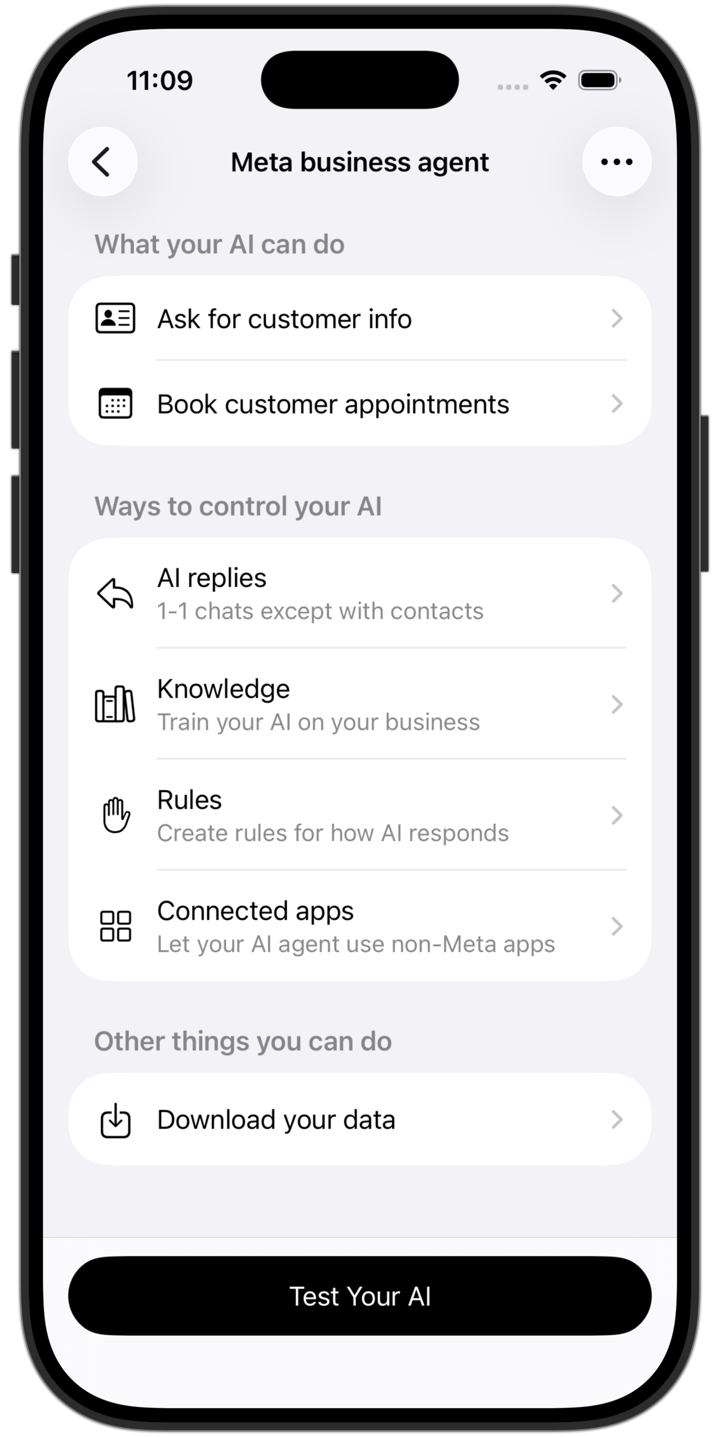 Step 2Open the agent — Connected apps sits in its controls.
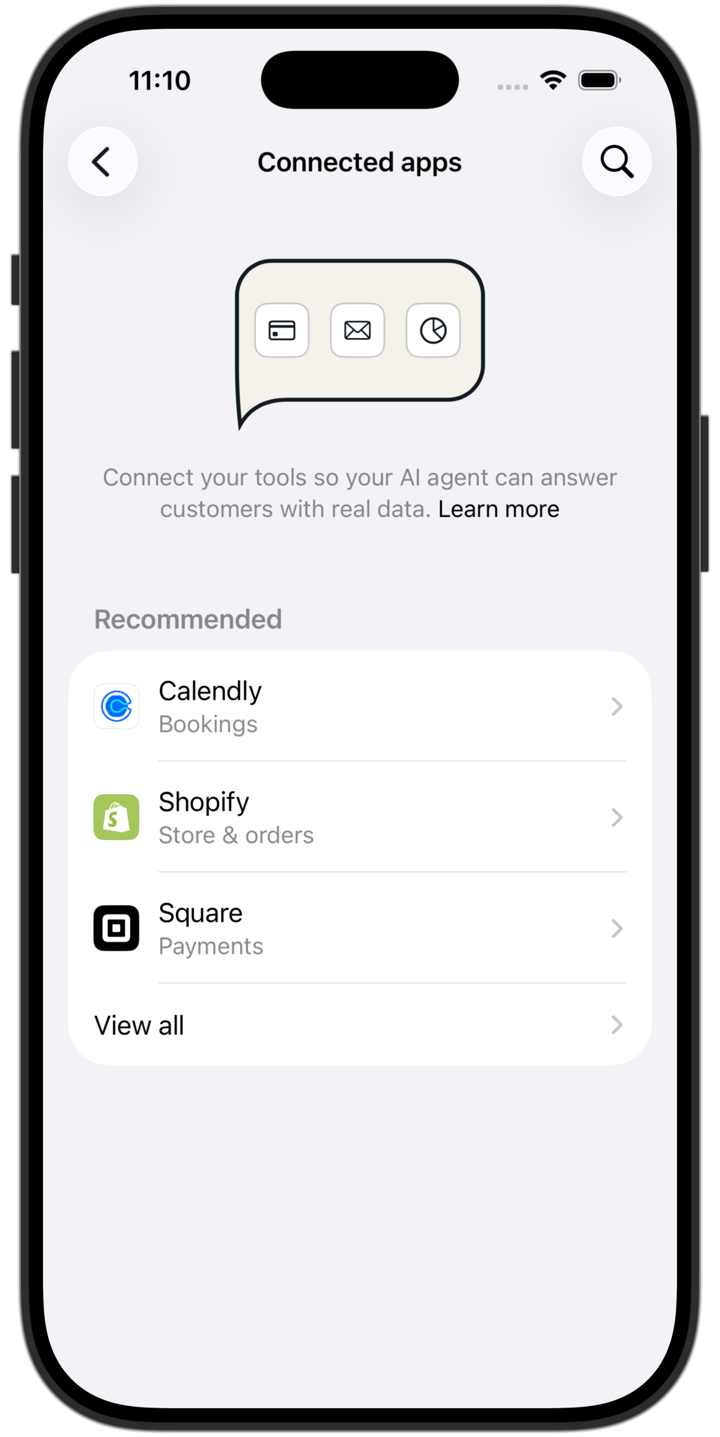 Step 3Connected apps opens with a shortlist.
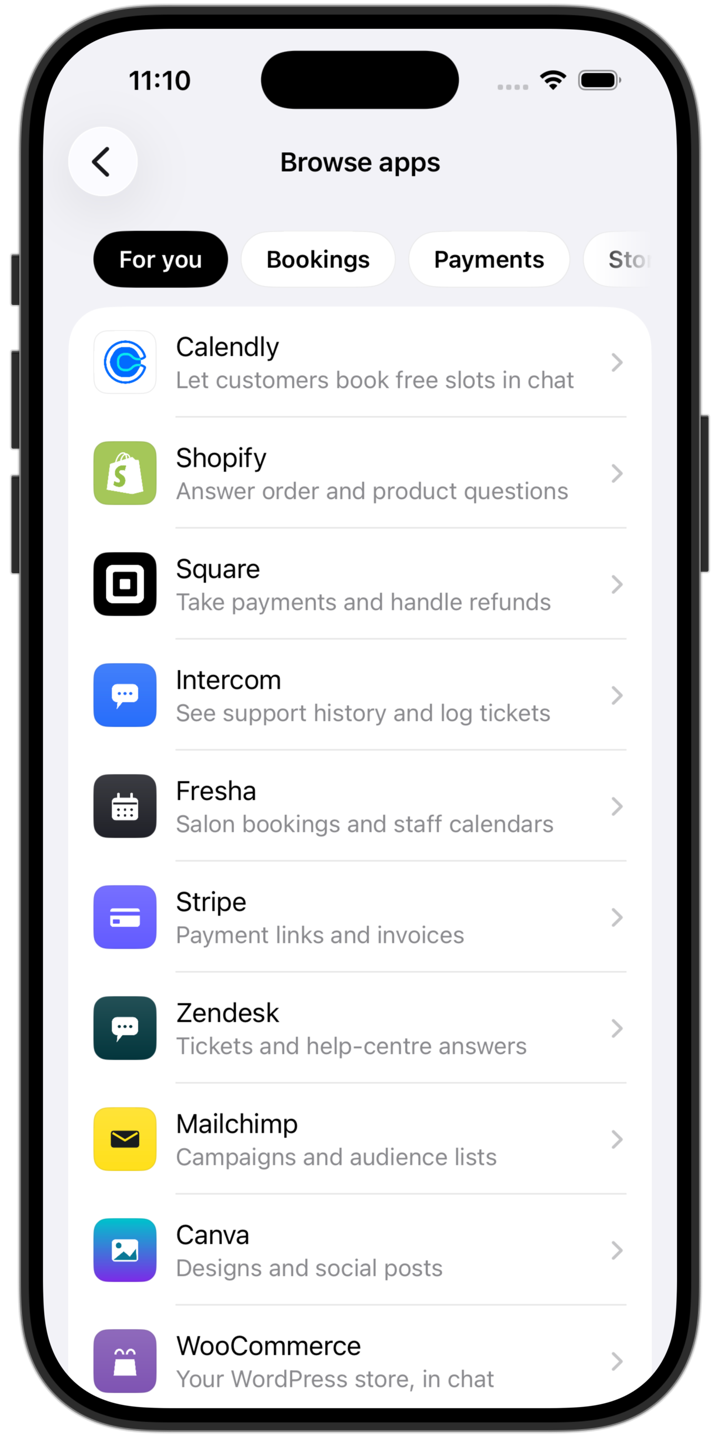 Step 4Or browse the full catalog.
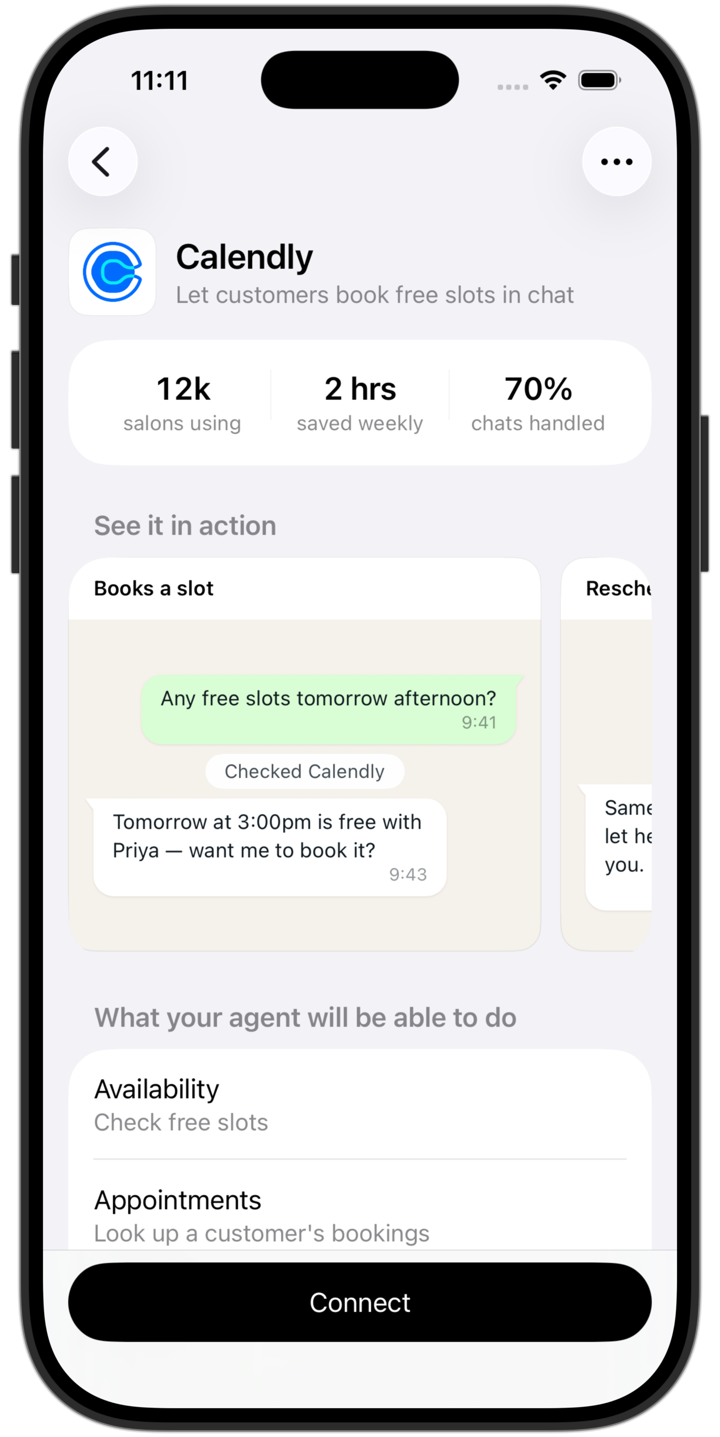 Step 5Pick Calendly. See it reply first.
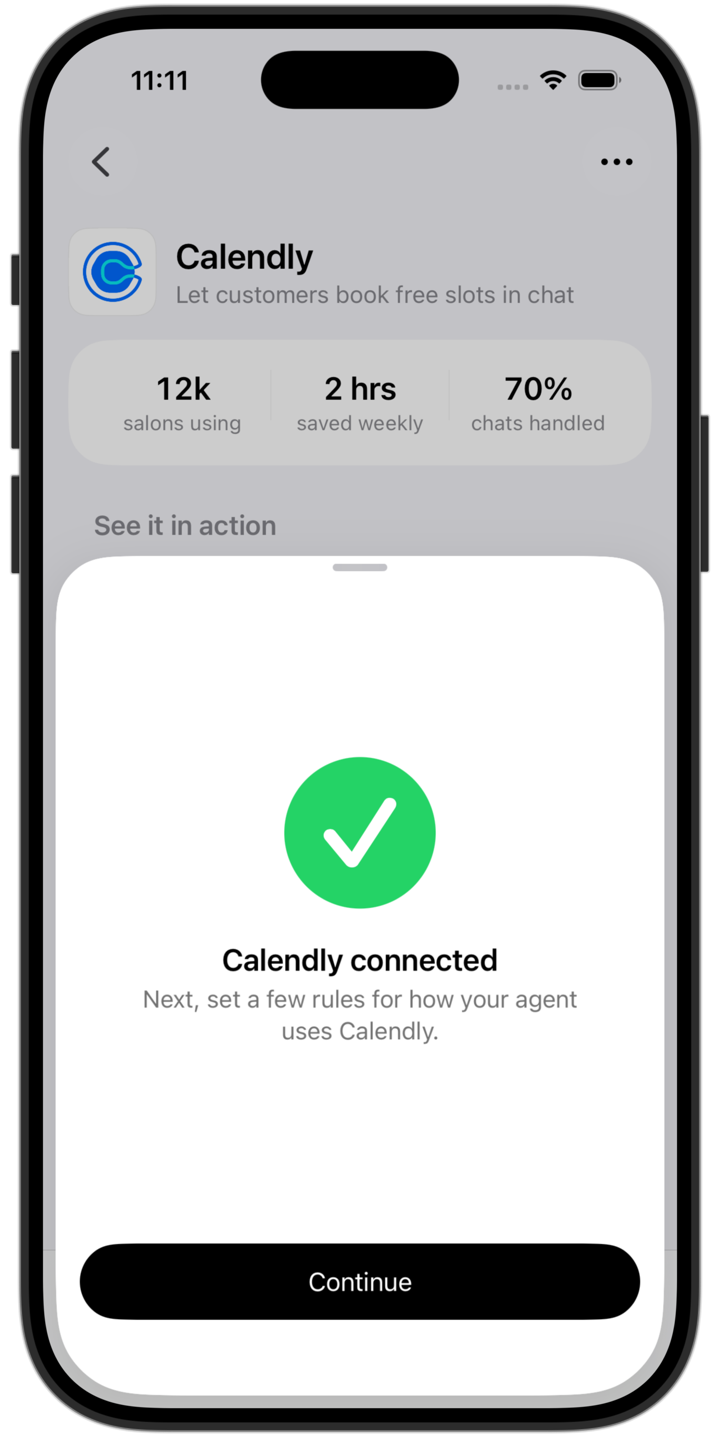 Step 6Connect in-app — no browser, no detour.
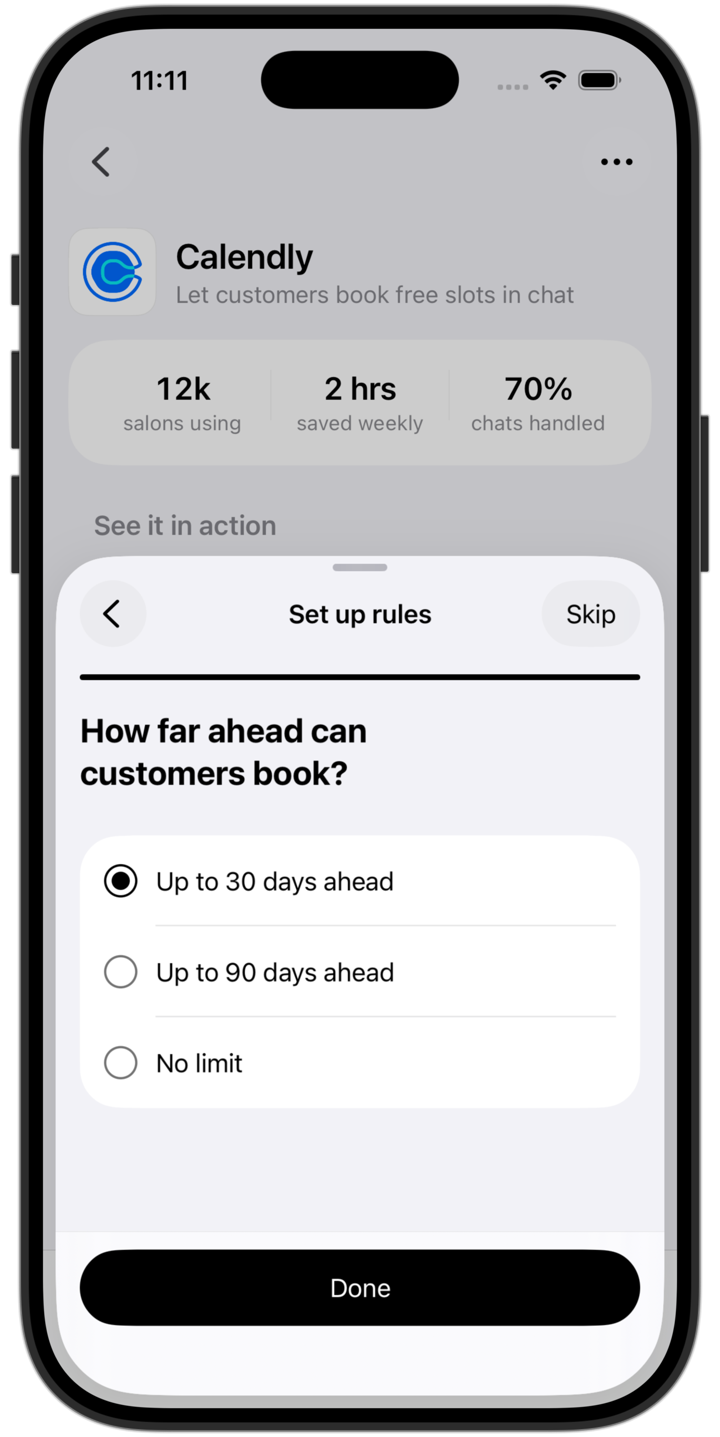 Step 7A few questions set the rules.
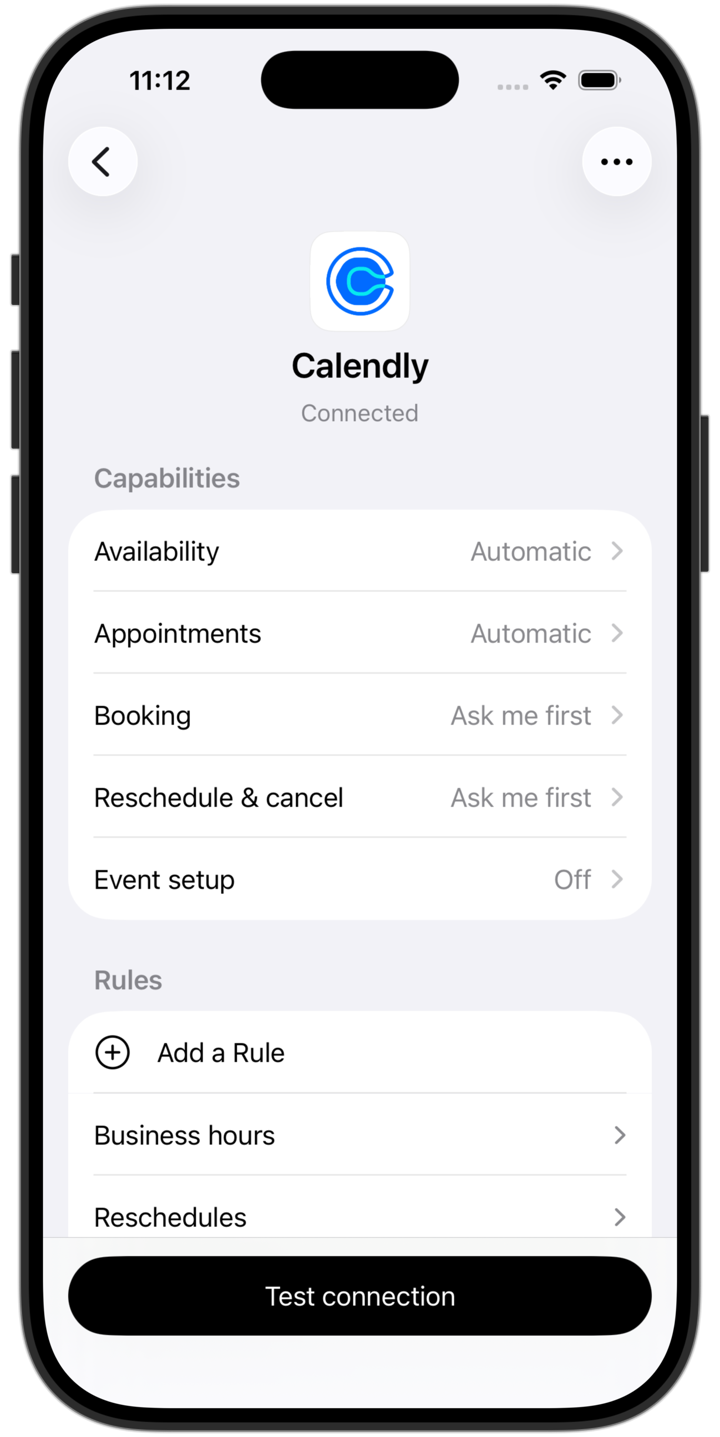 Step 8Now live: reads on, writes ask-first.
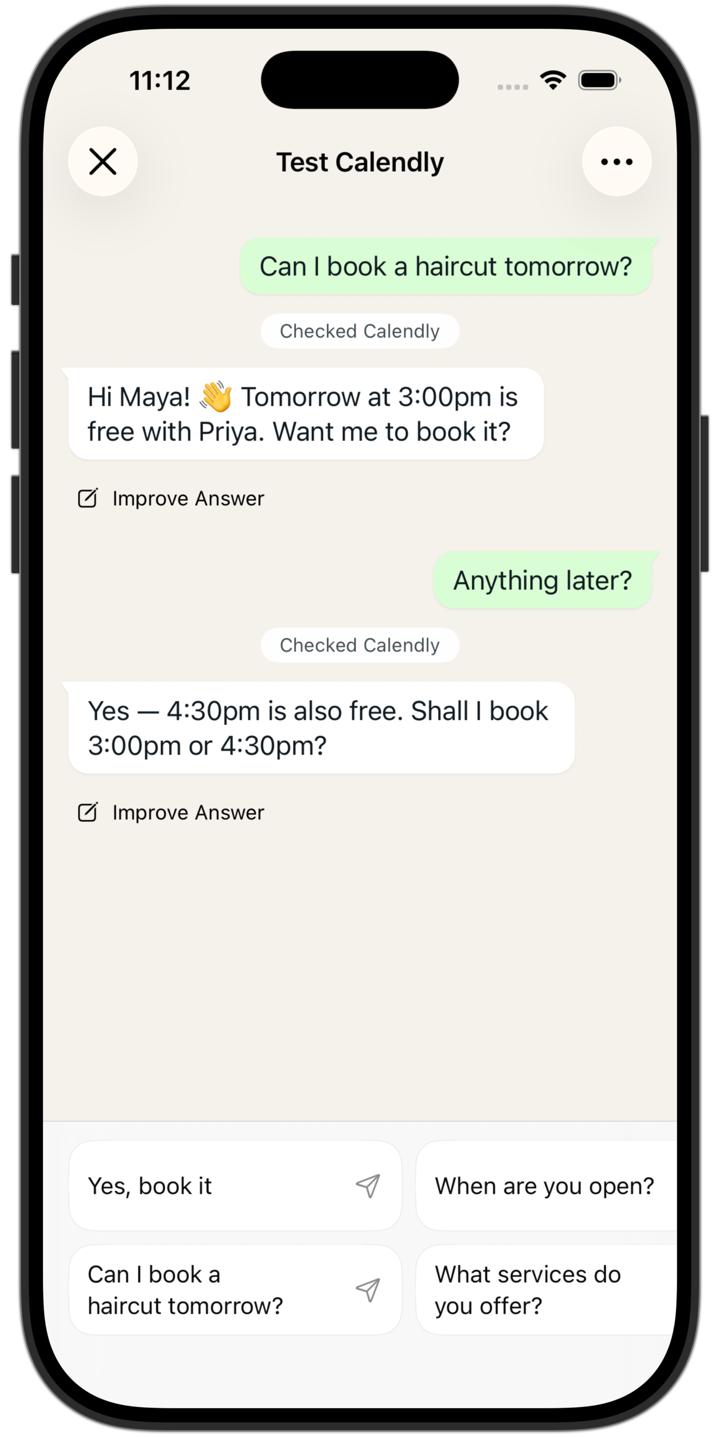 Step 9Ask for a slot. It pulls real ones.
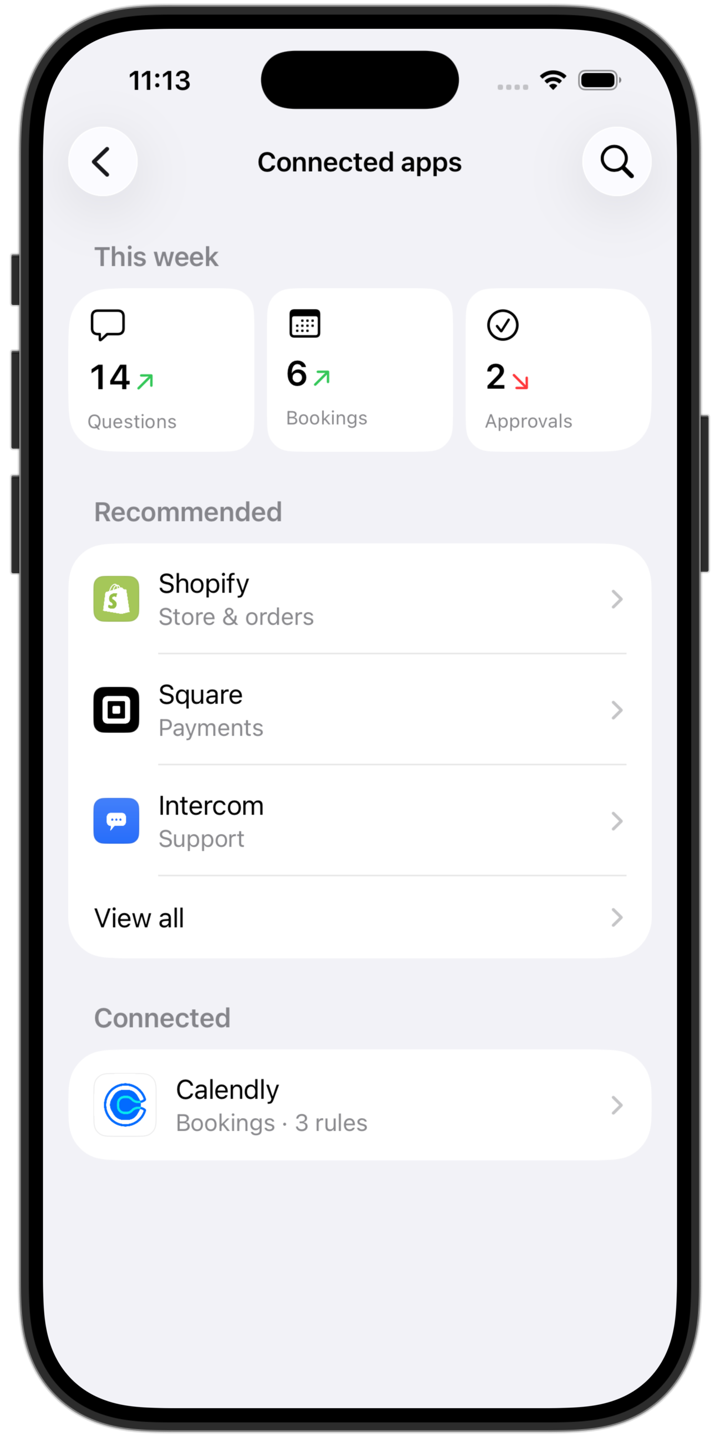 Step 10Live — a week of questions, bookings, approvals.
In beta, owners are taking the hand-off.
After a closed alpha on a single app — Google Drive, with select partners — the full experience shipped to beta in four markets (India, Brazil, Indonesia, Mexico) with ~80 apps. Early results; a wider rollout comes next.
The customer gets a real answer.The owner keeps control.
The hardest moment is the first hand-off — when an owner lets the agent act on its own. That’s the moment the design is built for, and the one I’d keep watching as it scales.
- Role
- Product design — framing, IA, interaction, prototyping
- Surface
- WhatsApp Business · iOS
- Type
- 0→1 feature · in beta
- Year
- 2026